Ren'Py Multi-Tool
A downloadable tool for Windows, macOS, and Linux
A desktop toolbox for Ren'Py developers and translators that unpacks RPA archives, decompiles RPYC scripts back to readable source, and turns dialogue into a translation-ready CSV — and back into a Ren'Py translation file.
Digging into a Ren'Py project usually means juggling several separate command-line tools just to get from a packed .rpa archive to editable text, and then hand-building the translate blocks Ren'Py expects. This app bundles that whole workflow into one window with four straightforward tabs, so you never have to touch a terminal.
Runs on Windows, macOS, and Linux — with support for 11 languages!
Features
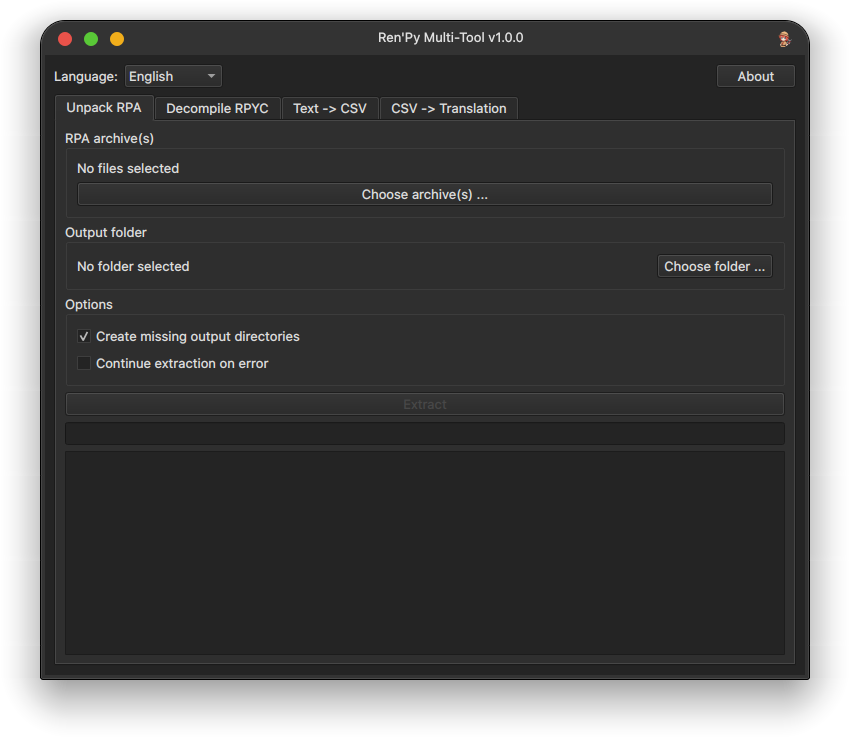
- Unpack RPA — extract one or more
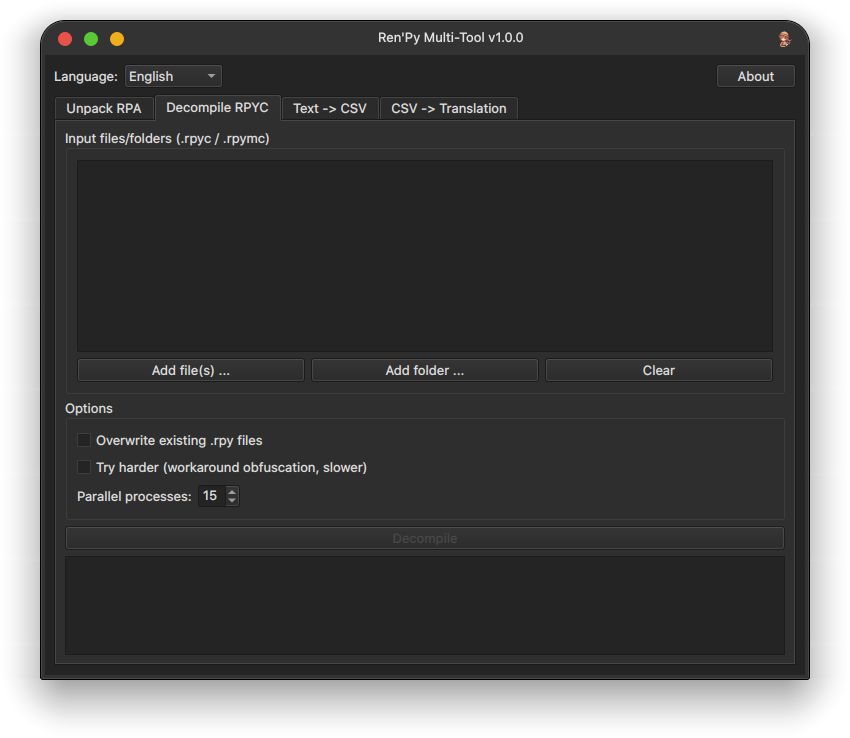
.rpaarchives to a folder of your choice, with options to auto-create missing output directories and to keep going past broken entries instead of stopping. - Decompile RPYC — turn
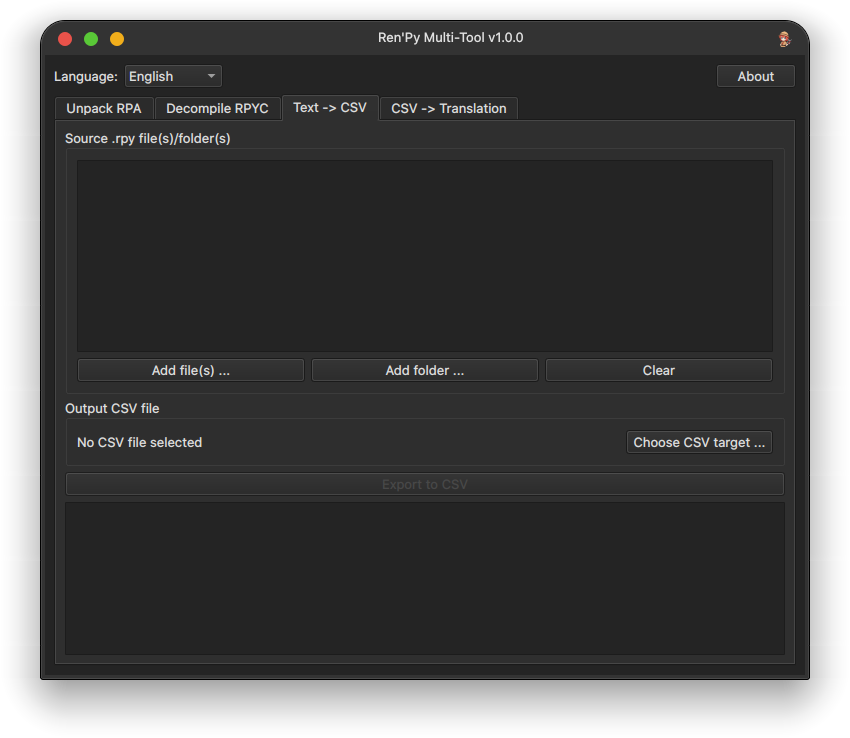
.rpyc/.rpymcfiles back into readable.rpysource. Add individual files or whole folders (scanned recursively), choose how many files to process in parallel, and optionally enable a slower "try harder" mode that works around common obfuscation. - Text → CSV — scan decompiled
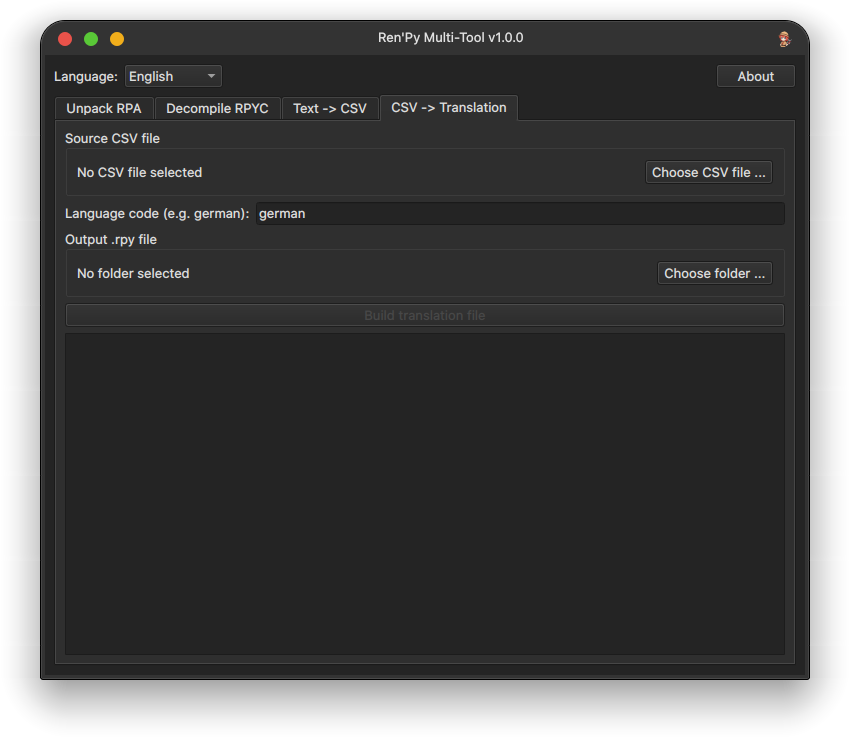
.rpyfiles and export every dialogue line and translatable string into a single CSV, complete with speaker, source file, and line number — ready to hand off to a translator or open in a spreadsheet. - CSV → Translation — feed the translated CSV back in, pick a Ren'Py language code, and generate a proper
translate <language> ....rpyfile, ready to drop into your project'stl/folder. - Live progress and logs — every step runs in the background with a progress bar and scrolling log, so the app stays responsive even on large projects.
- 11 languages — English, German, Spanish, French, Italian, Japanese, Korean, Polish, Portuguese, Russian, and Simplified Chinese, switchable anytime from the in-app language dropdown. Want your language be supported? Let me know in the comments below!
Getting started
Download the installer for your platform, run it, and you're set — it builds a standalone application (no separate Python install required to run it) and adds a shortcut to your Desktop and Start Menu/Application Menu. A matching uninstaller is included as well, in case you ever want to remove it cleanly.
Unpack an archive, decompile the scripts you want to translate, export the dialogue to CSV, fill in your translations, and build the final translation file. That's the whole workflow.
Built on top of the excellent open-source unrpa and unrpyc projects. Licensed under the GNU General Public License v3.0.
Download
Click download now to get access to the following files:
Leave a comment
Log in with itch.io to leave a comment.